Xbox Controller Test

This Xbox controller test checks every input your browser is allowed to see, right here in the page: A/B/X/Y, the D-pad, both sticks, the analog triggers and the rumble motors. Nothing to install, and a straight answer on where a browser stops being able to help.

  1. 1Connect over USB or Bluetooth
  2. 2Press any button to detect it
  3. 3Work through every input, then hit Run drift test
Controller Tester Press any button to connect
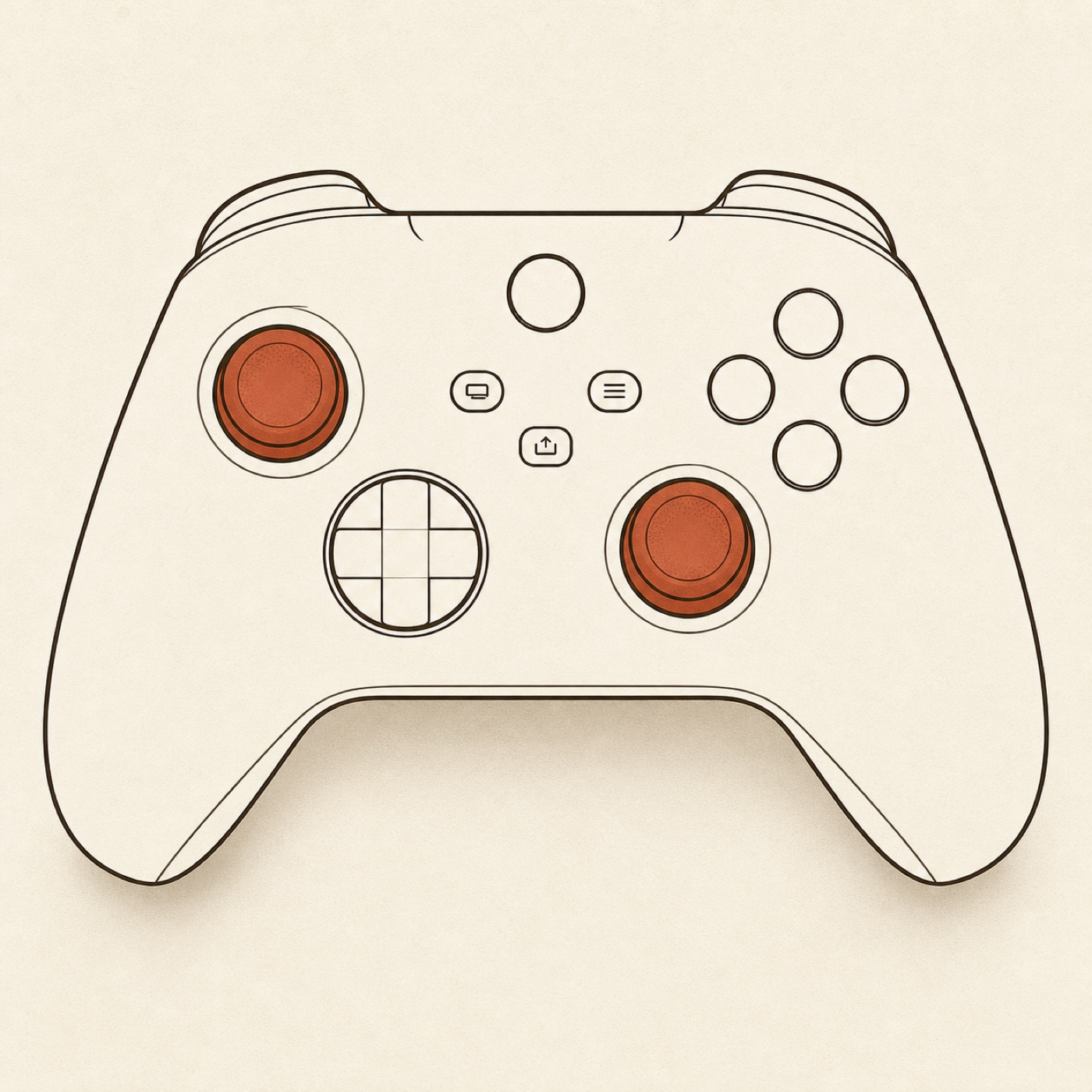
An Xbox controller diagram — its buttons, sticks and triggers light up as you test each one; the two grips carry the rumble-motor glyphs, and a smaller glyph sits beside each trigger for the impulse-trigger motors.
Press anything — each button and stick lights up here, so you see at a glance what works.

Stick health

Run the quick check to see your sticks’ resting health.

Impulse triggers Xbox-only

Not read yet — connect your controller and press any button, and this line will report whether it announces impulse-trigger support.

Nothing connected yet.

pulsing LT… Did you feel it in the left trigger?
pulsing RT… Did you feel it in the right trigger?
pulsing LT and RT… Did you feel both LT and RT?
  1. 1 Left trigger (LT) motor only not tested yet
  2. 2 Right trigger (RT) motor only not tested yet
  3. 3 Both trigger motors (LT + RT) not tested yet
Your answers build a checklist here.

Announced is not the same as working. Your controller can list an effect and still sit still, and the browser never reports back either way — so nothing here can tell you a motor fired. Only you can. Worth knowing before you judge yours: the browser code that drives Xbox rumble on macOS was verified over Bluetooth only, its author recorded that they could not get a wired connection working, and no browser can see which of the two you are on. A wired pad that stays silent here is a documented case, not a diagnosis.

Handle rumble dual-rumble

buzzing the left grip… Did you feel it?
buzzing the right grip… Did you feel it?
buzzing both grips… Did you feel both?
buzzing both grips, gently… Did you feel that softer one?

Hold the pad while you press it — the grip lit on the diagram is the one to feel for.

  1. 1 Left (strong) motor only not tested yet
  2. 2 Right (weak) motor only not tested yet
  3. 3 Both motors, full strength not tested yet
  4. 4 Both motors, gentle not tested yet
Your answers build a checklist here.

Announced is not the same as working here either. These buttons come alive as soon as your pad exposes a rumble route, which is not the same as the motors moving: an Xbox pad measured wired over USB on macOS announces this effect and stays completely still. If you feel nothing, try it over Bluetooth before you conclude anything about the hardware.

Analog sticks

Left

X / Ynot read yet
not moved yet not measured yet
awaiting the drift check

Right

X / Ynot read yet
not moved yet not measured yet
awaiting the drift check

Bumpers and triggers

LB RB
LT L2 not read yet
RT R2 not read yet

Buttons

press each one to test it
0A
1B
2X
3Y
4LB
5RB
6LT
7RT
8View
9Menu
10L3
11R3
12D-Up
13D-Down
14D-Left
15D-Right
16Xbox
17Share

What this Xbox controller test can & can't tell you

Sticks, buttons, D-pad, LB / RB, LT / RT, L3 / R3, View and Menu
All read directly from the browser's Gamepad API, with LT / RT as analog pressure and a summary line that flags a stick not resting cleanly. If it lights up here, it works.
Whether your pad announces impulse triggers
That announcement identifies it as an Xbox pad even when it reports no name and no vendor id. It runs one way only: not announcing proves nothing, because a 360 pad has no trigger motors to announce in the first place.
The Xbox button, and Share
The operating system swallows the Xbox button before the browser sees it, and Share doesn't come through on macOS. Both sit dimmed here — normal, not a fault.
Whether any motor actually moves, or how strong it is
Both walks above start an effect, and the browser never reports back what happened. So there is no automated "motor OK" for the handles or the triggers: only you can confirm what you felt.
How your controller is connected
The Gamepad API exposes no wired-or-Bluetooth field, so when rumble does nothing, this page cannot tell you whether the connection is why.
The headset jack, expansion port or Elite paddles
The standard layout this test reads has eighteen named inputs, and none of them is a paddle.
Whether a stick will fail later
We read your stick's current resting offset. A stick held off-center reads like drift, so let go before running the test.

The button map

Every Xbox input, named the way Microsoft names it.

The diagram above is an Xbox pad, not a generic controller with the wrong labels stuck on it. Press A and the A zone lights up.

Face buttons — A, B, X, Y
Each one is its own zone, and stays marked once pressed, so you can work around the pad without keeping track yourself.
D-pad — up, down, left, right
All four arms read independently. A dead arm is a common fault on a well-used pad, and it shows up here immediately.
LB / RB bumpers
Simple on/off buttons, and among the first things to go on a heavily used controller. Press each several times rather than once.
LT / RT triggers — analog
These are not on/off: the pressure bar tracks your finger through the whole travel. A trigger that jumps straight to full, never quite reaches it, or refuses to return to zero shows up clearly there.
Left and right sticks
Both report live position, and the summary line flags one not sitting cleanly at rest. L3 and R3 are read as their own buttons, worth checking separately, because a stick can move perfectly and still have a dead click.
View and Menu
Both read normally. Older pads and games still call them Back and Start.

Impulse triggers

The motors most controller tests don’t know are there

An Xbox One or Series pad has four rumble motors, not two. Two sit in the grips. The other two sit inside LT and RT, and they are what makes a trigger kick back when a gun fires or a wheel loses grip. They are known as impulse triggers.

How a browser knows your pad is an Xbox pad

Normally it reads the name and the vendor id the controller reports. On macOS that can fail: the Series X|S pad we measured introduced itself as nothing more useful than "Controller (STANDARD GAMEPAD)", with no vendor id in the string at all. We measured that on a real pad.

Impulse triggers are the way around it. Chromium-based browsers only offer the trigger-rumble effect for controllers on a static allowlist they ship internally, and every entry on that list is a Microsoft product. So a pad announcing trigger-rumble has told you who made it, whatever its name says.

This works in one direction only, and it would be easy to quietly get wrong. Announcing trigger-rumble proves an Xbox pad. Not announcing it proves nothing at all: an Xbox 360 controller has no trigger motors, nor does a Switch Pro pad, nor do most third-party controllers. If the panel above says your pad announces nothing, that is a statement about trigger motors and not about who made your controller.

Announced is not the same as working

A browser can start a rumble effect and never hear back from it. The call can report itself as complete while nothing at all has moved: we measured exactly that on an Xbox pad connected over USB on macOS, both effects announced and the controller completely still. That is why this page has no green "your impulse triggers work" badge for you to screenshot.

The likely reason is not the operating system, which is the answer most sites give. It is the connection. The engineer who added Xbox haptic support to Chromium on macOS noted that they verified it over Bluetooth and could not get a wired connection working, which matches our wired pad exactly. And the Gamepad interface has no field for how a controller is connected, so this page cannot know which case you are in, and it does not guess.

What it does instead is the honest version: it fires a real impulse effect at one trigger at a time, and asks you what you felt. Your answer is the result. If both triggers stay silent on a wired pad, try it over Bluetooth before you conclude anything about the hardware.

Stick drift

Xbox controller stick drift: is yours drifting?

Drift is when a stick sends input while you are not touching it — the camera creeps, the character wanders off. It is one of the most common Xbox controller faults, and one of the easiearched Xbox controller complaint there is, and because the cause is mechanical wear, an offset does not tend to fix itself.

The tester above flags a stick that is not resting cleanly. If that hint appears, or a stick already feels wrong in games, the stick drift test is the tool for it: it samples each stick at rest and returns a straight PASS, DRIFTING or FAIL with the measured offset. Work the fixes cheapest-first: recalibrate, raise the deadzone, clean around the stick base, and replace last.

Troubleshooting

Xbox controller not showing up? Try these in order

When an Xbox controller will not work on a computer, these five are the usual places to look.

Nothing appears at all
Press any button first: browsers hide a controller until it sends its first input. Still nothing? Re-seat the USB cable, and be suspicious of the cable itself. Some cables carry power but no data, so the pad lights up and never appears — swap in one you know transfers files.
Paired over Bluetooth, but nothing reads
Re-pair it: hold the small pair button on the top edge until the Xbox button flashes quickly, then add it again from your Bluetooth settings. Not every Xbox pad speaks Bluetooth, though. The older ones need Microsoft’s own wireless adapter or a cable instead.
The browser can’t see it, but the system can
Something else has claimed it, and on a PC that is usually Steam. Steam Input wraps the controller and can hide or remap the real one before a browser sees it. Fully quit Steam, then refresh this page.
Buttons are mapped to the wrong places
Almost always a remapping layer rather than the pad. An Xbox controller sends a standard layout, so scrambled buttons point at Steam Input or the Xbox Accessories app. Also check whether a custom profile is loaded onto the pad itself, since those follow it to other machines.
Rumble does nothing
Try both walks in the tool above and answer by feel. If their buttons are grayed out, your browser exposes no rumble route for this pad. If they are live and you feel nothing, do not conclude the motors are dead: connect the pad the other way and try again. The surest test remains the console itself.

Testing a different pad? The general controller test adapts to whatever you connect.

FAQ

Xbox controller test FAQ

The short answers. The tool above and the sections on this page cover the rest.

Is this Xbox controller test free?

Yes. No sign-up, no download, no extension. Connect the controller, press a button, and each input lights up as you try it — every one your browser is allowed to read.

How do I test my Xbox controller?

Plug the pad in over USB or pair it over Bluetooth, then press any button so the browser can see it. The diagram lights up as you work through the buttons, triggers and sticks. Anything still dark is worth chasing. Then let go of both sticks and press Run drift test.

Why does my Xbox controller show up as just "Controller"?

Because that is all your browser was told: on macOS a Series X|S pad can introduce itself as nothing more than "Controller (STANDARD GAMEPAD)", with no vendor id at all — that is what we measured on ours. This page has a second route. If the pad announces impulse-trigger support, that is a capability Chromium-based browsers (Chrome, Edge) only offer for controllers on their own Xbox allowlist, so the announcement identifies the pad when the name cannot.

Can this test my impulse triggers?

It can test them the only honest way a browser can. The page reads whether your pad announces the trigger-rumble effect and reports that as an announcement, then fires real impulse effects at each trigger and asks what you felt. What it will never do is tell you your trigger motors work: the browser starts an effect and gets no report back. Worth knowing before you judge your own pad: the browser code that drives Xbox rumble on macOS was verified over Bluetooth only, and its author recorded that they could not get a wired connection working. A wired pad that announces impulse triggers and then sits still is a documented case, not proof of a broken motor.

Why are the Xbox button and Share dimmed?

Two different reasons that happen to look the same. Your operating system claims the Xbox button before any website can see it. Share is a separate case: on macOS it is not mapped through to the browser at all, so there is nothing to read. A dimmed button here is expected, not a fault in your pad.

Does this work with an Xbox 360, Xbox One and Series X|S controller?

Xbox One and Series X|S: yes, for everything the browser exposes — both send the same standard layout, so the face buttons, D-pad, bumpers, analog triggers and both sticks read correctly. An Xbox 360 pad is a different case and we have not tested one: it needs a driver your system may not have, and on macOS in particular a wired 360 controller often never reaches the browser at all. If yours does appear, the same standard layout applies. Impulse triggers arrived with the Xbox One pad, so a 360 controller has no trigger motors to announce and that walk stays closed for it.

Do I need a cable, or does Bluetooth work?

Both work for testing buttons, sticks and triggers, and USB is the steadier for a first pass. Rumble is the one place they can differ, and this page cannot tell you which you are on: the Gamepad API exposes no transport field, so no browser can. If the rumble walks find nothing, try the other connection before concluding anything about the hardware.

My Xbox controller works here but not in my game — why?

That points at software, not the pad. If every input reads correctly here, the controller is sending what it should and the problem is downstream: the game’s input settings, a missing profile, or a layer like Steam Input intercepting it.

Is my Xbox controller drifting?

This Xbox controller test shows what your sticks are doing right now, and Run drift test flags one that is not resting clean. For an actual verdict, run the dedicated stick drift test, which grades each stick against a fixed threshold. Try the free fixes first either way: recalibrate, raise the deadzone, then clean around the stick base.

Does my controller data get uploaded?

No. The test runs entirely in your browser through the Gamepad API. Nothing about your controller, and nothing you press, leaves your device.

More controller tests

Keep checking your pad

Think a stick is drifting?

This page shows what your Xbox controller is doing. The stick drift test grades it.

Run the stick drift test